
Total: 1 post
Posts in: Smart Home
Smart Home
Start With the Lights
Five years ago, when I bought my house, replacing the light switches was one of the first things I did. I’ve added to the setup steadily since then, and at this point Lutron Caseta touches nearly every room. It’s been the most reliable part of my entire smart home, and I’d tell anyone curious about getting started to go here first.
Lutron has higher-end systems like RadioRA3 and Homeworks, but the consumer Caseta line has been more than sufficient even for a more advanced tinkerer like myself. Lighting is the single best smart home upgrade you can make, and Caseta is where I’d tell anyone to start.
Smart Switches, Not Smart Bulbs
Lighting is a bit of a rabbit hole with all the different options out there, but for the majority of lighting in your home, regular bulbs and smart switches are the way to go. That way, anyone can control them normally, exactly as expected. I’m firmly in the camp of smart switches over smart bulbs, especially when it comes to recessed cans. There’s just no reason to use smart bulbs there when the only real feature you gain is color changing, which isn’t needed in most of the home. You want lighting to feel completely normal and 100% reliable.
The Switches
I have basically all of my main lights covered with Lutron Caseta switches. Since buying my house five years ago, Lutron has released a newer Claro-style switch that looks nicer and less gadgety, but the originals are still fine and still read “light switch.”
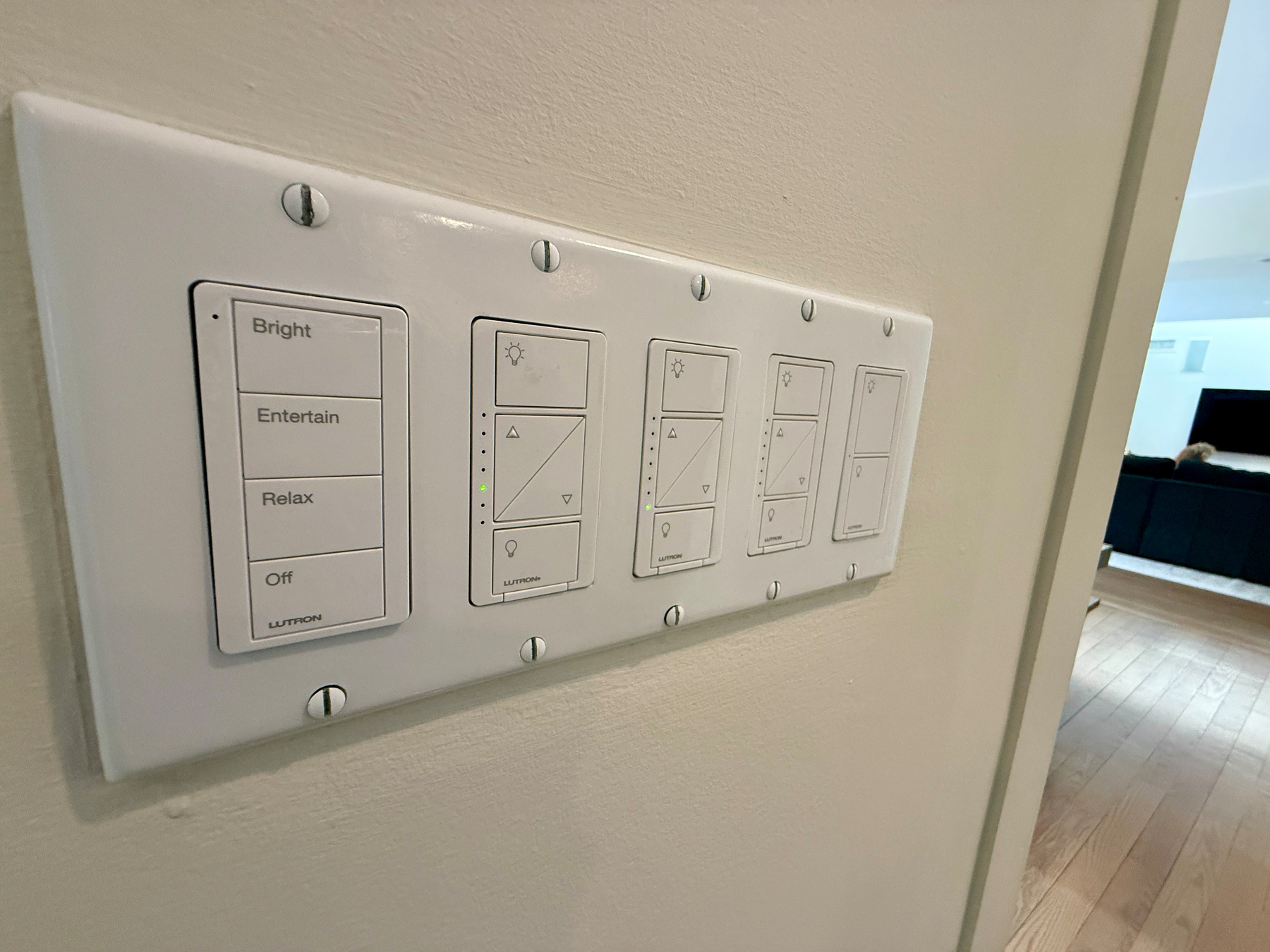
For three-way switches, which my house had a lot of, you actually close off one of the switch circuits and place a wireless Pico remote over it, pairing it in the app to the hardwired switch to act as a three-way. You can also use Pico remotes as standalone wireless controllers, either freestanding or on a tabletop pedestal for even more physical control. Lights can also be grouped for simultaneous control.
You do need a hub plugged into your router, but it’s well worth it. Lutron uses their own dedicated wireless protocol, so you’re not bogging down your Wi-Fi network with dozens of switches. Everything pairs directly to the hub and it’s rock solid, with zero dropouts.
You can use the Lutron app exclusively, or link with any major smart home ecosystem to use your lights in scenes and automations alongside other devices. I use Apple HomeKit, so all of my scenes and automations run through the Apple Home app. I only open the Lutron app to pair new devices.
More Than Just Switches
What makes the Lutron ecosystem really shine is the breadth of device categories that work exactly the same way. They make Pico scene controllers, which I have placed around the house to control multiple lights at once with scenes that anyone can use, not just my wife and I with our phones or voice control. I also have multiple outdoor switches controlling my landscape and deck lights, which are just as rock solid and work with both high and low voltage fixtures. Through the Home app, I can not only control them manually but also put them on schedules tied to sunrise and sunset.
Motorized Shades
We have two Lutron Serena shades, which pair to the same Caseta hub and are controlled the same way, with a Pico remote to raise and lower them. I have them automated to close at sunset and open at sunrise, which is really nice for evening privacy. They’re extremely quiet and completely reliable. These were on the pricier side, but Lutron also makes a lower-end Caseta shade, which we have in our guest bedroom. It’s a bit louder and fabric options are limited, but it’s been 100% reliable as well. Motorized shades are a more premium smart home investment, but being able to raise and lower them from the couch or bed is genuinely great.
Where It All Comes Together
If you’re smart home curious, lighting is the best place to start. The killer feature for me is creating scenes that group different lights at the right brightness levels. A “Good Night” scene, for example, turns everything in the house off. No more wondering if you left a light on somewhere. Pair that with automations like “turn off all lights when the last person leaves,” and you start to feel what the smart home lifestyle is really about. And because Lutron is so reliable, if you can live without color-changing bulbs, this is a genuine no-brainer.